Set up your XIOT device
Let’s get your xAgent going.
Follow these steps. Your device and the app will guide you too.
‹ Choose a different device
Direct link: xiot.io/setup/square
Set up xAgent Square
Five steps, about five minutes. The quickest way is the XIOT app.
Charge
Connect the USB-C cable. A full charge takes about 45 minutes. You can set it up while it charges.
Turn on
Hold the middle button on top for 3 seconds until the screen lights up.
Connect to Wi-Fi
Follow the steps on the screen to join your Wi-Fi network.
Pair it with your account
Your xAgent shows a 6-digit code on its screen. Enter it in the XIOT app to link it to your account.
RecommendedWith the XIOT appGet the app and sign in first.- Pair code482 913Find the codeIt’s on your xAgent’s screen after Wi-Fi.
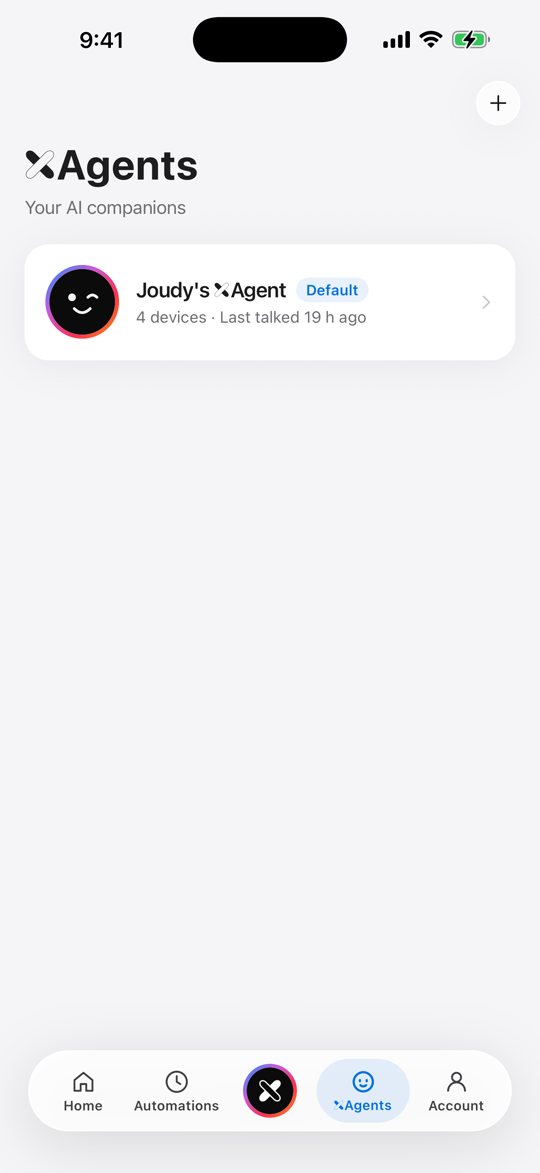 Tap +In the app, open the xAgents tab and tap +.
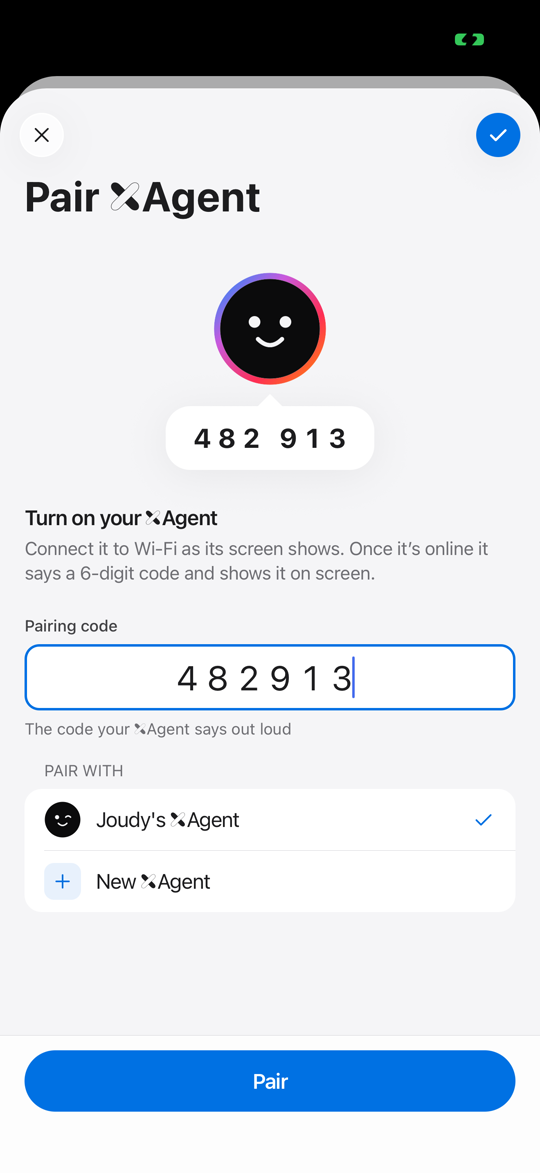 Type it and pairEnter the code, choose what it joins under “Pair with”, then tap Pair.
No app? Pair on the web. Sign in to xConsole, go to Devices › Bind with code, and type the code.
Open xConsoleSay hello
Hold the right button on top and ask anything. Let go when you finish, and it answers. In xConsole you can pick its character, voice and agents.
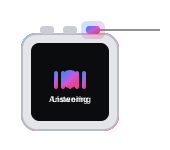 Right button on topHold to talk, let go to hear the answer